See the invisible radio signals all around you.
Spektra is a native macOS spectrum analyzer that turns an inexpensive RTL-SDR USB dongle into a full-featured radio exploration tool. See, identify, and listen to radio signals from 24 MHz to 1.7 GHz — FM broadcasts, aircraft communications, weather stations, and everything in between.
Requires macOS 14 (Sonoma) or later and an RTL-SDR USB dongle
Why Spektra?
The radio spectrum is full of signals you can’t see — FM stations, air traffic control, weather broadcasts, amateur radio, pagers, and more. With a ~$30 RTL-SDR dongle and Spektra, you can visualize all of it in real time. No command-line tools, no GNURadio flowgraphs, no Linux VM. Just plug in and explore.
Features
Live Spectrum
Real-time FFT-based spectrum display with dB scale, frequency labels, and fill gradients. Zoom from full 2 MHz bandwidth down to 256 kHz detail.
Signal Classification
Automatic identification of 16 signal types — FM broadcast, ATC, weather radio, pager, ADS-B, and more — based on frequency, bandwidth, and spectral characteristics.
Audio Demodulation
Listen to what you see. Four demodulation modes (FM, AM, USB, LSB) with volume, squelch, and real-time audio level metering.
Frequency Presets
16 built-in presets for quick tuning — FM radio, air traffic control, NOAA weather, amateur bands, public safety, ADS-B, and more.
Spectrum Analysis
Spektra performs a 2048-point FFT with Hann windowing and exponential moving average smoothing for stable, readable visualization. The Canvas-based display renders a real-time spectrum with dB grid lines and frequency labels. Peak detection identifies up to 8 simultaneous signals above -30 dB.
Four zoom levels let you go from a wide 2 MHz overview down to 256 kHz detail for isolating individual signals.
Signal Classification
When Spektra detects a signal, it automatically classifies it using frequency band, measured bandwidth, and spectral flatness (a metric that distinguishes digital modulation from analog). Classifications include FM Broadcast, Narrowband FM, AM, Digital, Pager, ADS-B, Weather Radio, Air Traffic Control, Public Safety, Railroad, Trunked Radio, Wireless Mic, and more — each with a suggested demodulation mode and confidence score.
Audio Demodulation
Spektra includes four demodulation modes:
- FM — phase discriminator for broadcast and narrowband FM
- AM — envelope detection with DC removal
- USB / LSB — upper and lower sideband for amateur radio and aircraft
Audio is decimated from the 2.048 MHz sample rate down to 48 kHz using anti-aliased box filtering, then streamed through a lock-free ring buffer to Apple’s AVAudioEngine for low-latency playback.
SDR Activity Guide
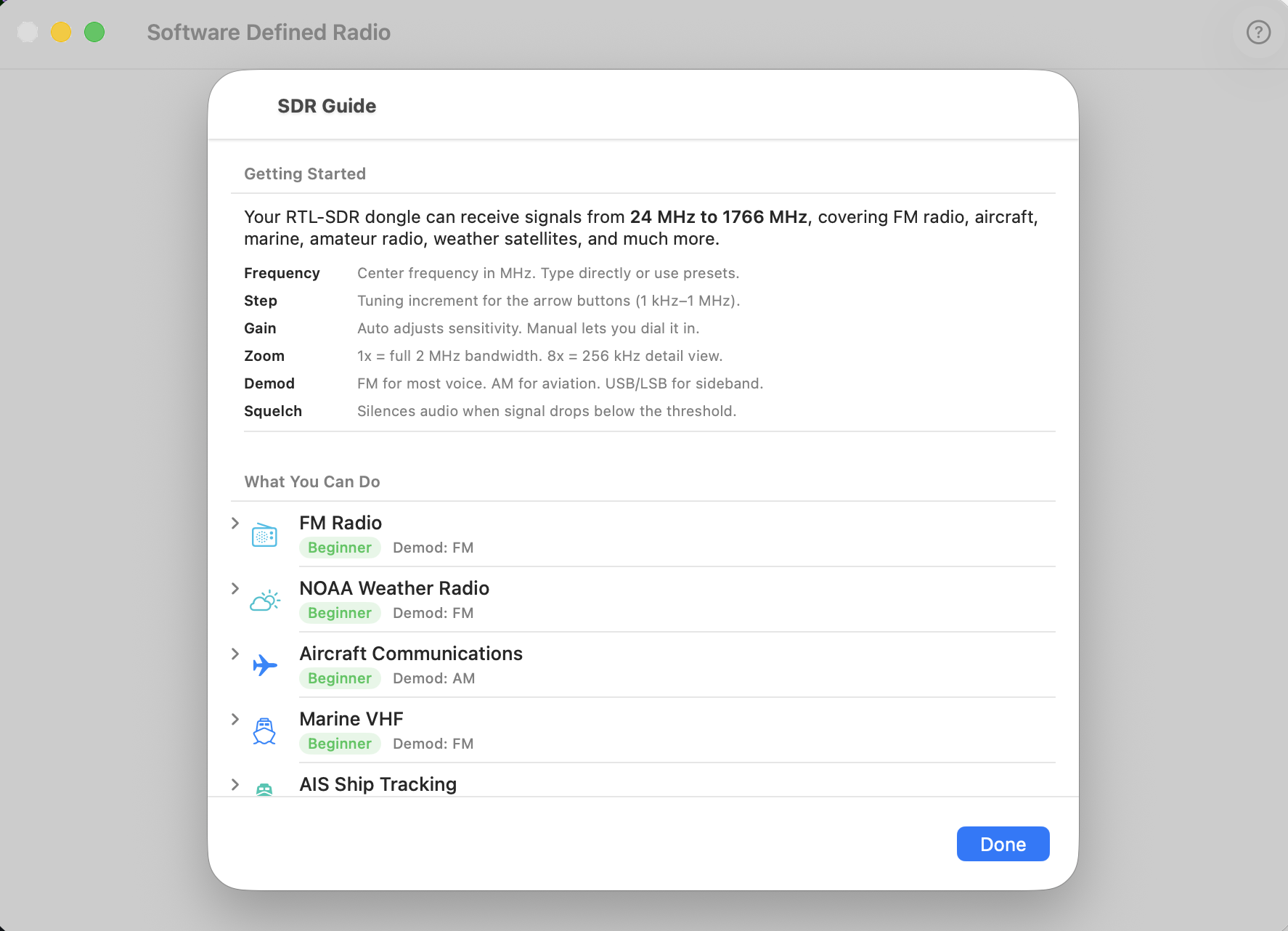
A built-in guide covers 21 radio activities organized by difficulty — from tuning FM stations (beginner) to tracking weather satellites and detecting GPS jammers (advanced). Each activity includes the frequency, what to listen for, and which demodulation mode to use.
Hardware Guide
Don’t have an SDR yet? Spektra includes a purchasing guide with specific dongle recommendations, accessory suggestions, and setup instructions.
Technical Details
- Native macOS app built with Swift and SwiftUI
- One external dependency —
librtlsdrfor SDR hardware access (bundled in the DMG) - Apple Accelerate (vDSP) for hardware-accelerated FFT computation
- AVFoundation for real-time audio output
- Direct C interop — bridges to
librtlsdrvia a Swift module map, no wrappers - Privacy-respecting — all processing on-device; no network requests, no analytics