
See through your network traffic to find tracking, fingerprinting, and privacy leaks.
Prism is a native macOS HTTP proxy that sits between your apps and the internet, watching every request to surface privacy concerns you’d never otherwise see. It tells you which domains are tracking you, which sites aren’t using encryption, and which apps are making suspicious numbers of connections — all without decrypting your HTTPS traffic.
Requires macOS 14 (Sonoma) or later
Why Prism?
Your Mac makes hundreds of HTTP requests every hour. Some are the sites you visited. Many are telemetry, analytics, tracking pixels, and beacon pings sent by apps running in the background. You don’t see any of this unless you’re running a packet capture tool — and even then, you’d need to know what to look for.
Prism is the missing middle ground. It’s more than a request log and less than a corporate proxy. It observes your traffic, analyzes it against known tracker databases, and distills what it finds into plain-language privacy concerns with actionable recommendations. No Terminal, no Wireshark, no MITM certificates.
Features
Dashboard
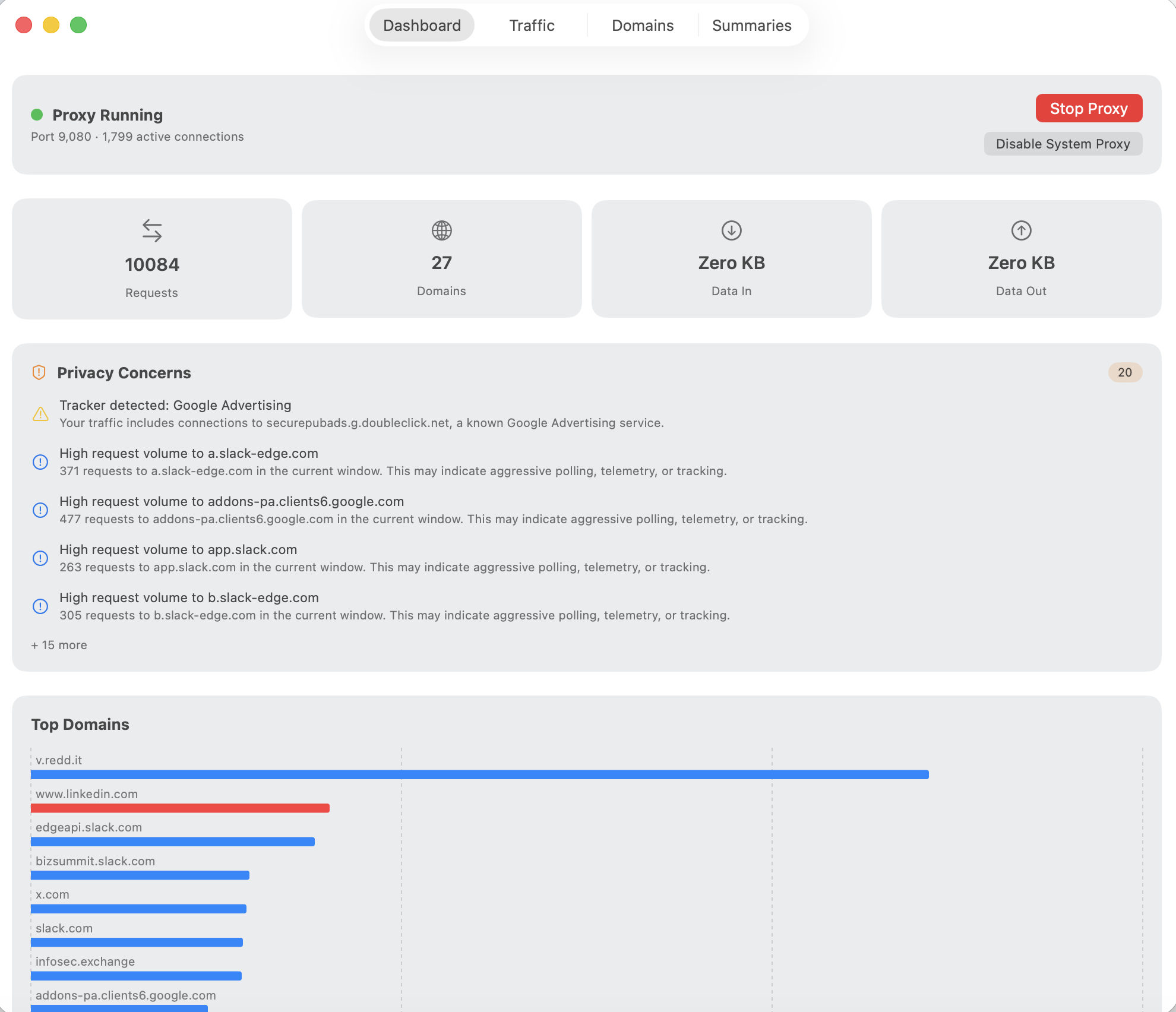
Live overview of request count, unique domains, tracking domains detected, encryption ratio, and active connections — all at a glance.
Privacy Concerns
Automated detection of trackers, unencrypted traffic, fingerprinting headers, tracking beacons, and excessive connections. Each concern explains what happened and what you can do.
Live Traffic
Real-time table of every request flowing through the proxy — method, host, path, status, bytes, and duration. Filter and export to CSV.
Domain Profiles
Per-domain breakdown showing request count, byte volume, paths accessed, and privacy category — tracker, advertising, analytics, CDN, or unknown.
Hourly Summaries
Automatic hourly snapshots with domain breakdown, privacy analysis, and byte totals. Generate a summary at any time or let them accumulate.
System Proxy Integration
One-click toggle to route all HTTP traffic through Prism via the macOS system proxy. Automatic cleanup on quit — Prism never leaves your Mac in a broken state.
Privacy Without Decryption
Prism tunnels HTTPS traffic — it sees the hostname and byte volume, but never the content. There are no MITM certificates to install, no private keys to manage, and no risk of breaking TLS. For HTTP traffic, Prism sees the full request (method, path, headers) and response status.
This is a deliberate design choice. Prism’s trust model is “we can’t read your encrypted content” — and that’s a feature, not a limitation. Hostname and connection metadata are enough to detect trackers, measure data volume, and identify suspicious patterns.
Always-On Stability
An observing proxy must never be the reason your network breaks. Prism is engineered for long-running stability:
- Idle timeout — CONNECT tunnels that carry no data for 120 seconds are torn down automatically, preventing file descriptor leaks from long-lived HTTP/2 and WebSocket connections
- Adaptive pressure relief — when connection count climbs, idle timeouts shorten (60s above 200 connections, 30s above 500) to drain resources faster
- Connection cap — new connections beyond 2,000 are rejected with 503 to prevent fd exhaustion
- Health watchdog — a 10-second probe detects if the proxy stops responding and automatically disables the system proxy to restore connectivity
- Graceful shutdown — quitting Prism always disables the system proxy first, and stale proxy configurations from crashes are repaired on next launch
SQLite History
Completed requests are drained to a local SQLite database every 30 seconds, with a domain catalog that tracks the first and last time you contacted each domain. Hourly statistics are recorded alongside each summary. Daily pruning enforces tiered retention — raw request rows follow your configured retention period, hourly stats are kept for six months.
Technical Details
- Native macOS app built with Swift and SwiftUI
- Network.framework for the TCP proxy — no third-party networking libraries
- Sparkle auto-update — the only third-party dependency, for secure update delivery
- SQLite (via the C API) for persistent request history and domain tracking
- HTTPS tunneled, not decrypted — no certificates to install, no content inspection
- Privacy-respecting — all data stays on your machine; no telemetry, no analytics